
Migrate Mailchimp to Omnisend
Migrate Mailchimp to Omnisend in a clean, repeatable way: export audiences, clean consent + fields, import to Omnisend, then rebuild only the automations that actually drive revenue. You’ll be done when your new system is sending correctly (and old Mailchimp sends are disabled).
Need a quick tool overview? See email automation tools.
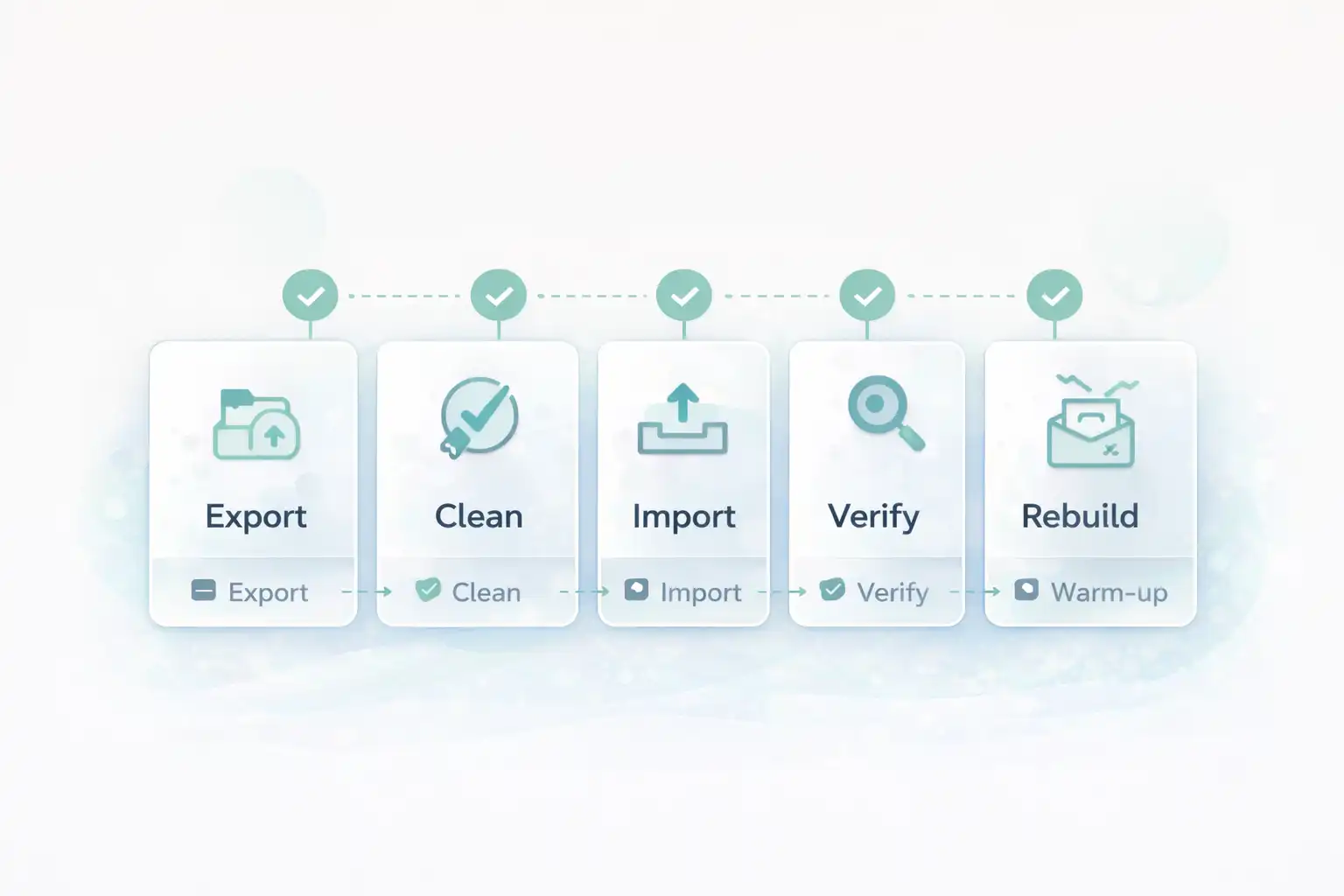
Migrate Mailchimp to Omnisend checklist (what matters)
The goal is not “move everything.” The goal is move consent + segmentation + revenue flows without breaking deliverability. Your best migration is the one that’s live and measurable.
- Keep consent clean: only import contacts who can legally receive marketing.
- Bring your segmentation logic: tags, customer type, lifecycle stage.
- Rebuild the core: welcome, abandoned cart, post-purchase, winback.
- Warm up properly: start with engaged segments first.
Before you start Migrate Mailchimp to Omnisend
Prep these so you don’t hit a “no access” wall mid-migration:
- Mailchimp admin access (audience exports + tags/segments).
- Omnisend admin access (import + workflows).
- Your sending domain info (from-name, from-email, website domain).
- List of “must keep” fields: phone, country, lifecycle stage, VIP flag.
- Decide if you’ll keep the same sender domain (recommended).
Start clean. Create your Omnisend account first so you can import right after export.
Open OmnisendCommon pitfalls (that waste hours) when Migrate Mailchimp to Omnisend
- Importing unsubscribed contacts → you raise complaints and hurt deliverability.
- Forgetting tag mapping → your campaigns can’t target properly.
- Two systems sending → duplicate emails, angry customers.
- Skipping warm-up → sending to cold contacts first can tank inbox placement.
- Rebuilding every automation → you delay launch (ship essentials first).
Step 1/8 — Audit what you actually need to migrate
Goal: scopeYou’re moving the revenue engine, not every historical artifact.
Must move (v1)
- Opted-in contacts (email + optional phone)
- Tags / segments you use for targeting
- Suppression: unsubscribed / bounced where possible
- Core flows: welcome, abandoned cart, post-purchase, winback
Skip for now
- Old one-off campaigns
- Dozens of micro-segments you never use
- Deep template design polish
Step 2/8 — Export contacts from Mailchimp (separate lists)
Goal: dataExport in a way that preserves targeting: keep opted-in contacts separate from unsubscribed/suppressed.
Export sets (recommended)
- Export A: Subscribed / marketing-permission contacts
- Export B: Unsubscribed (keep for suppression reference)
- Export C: Cleaned / bounced (avoid importing)
Naming convention (copy)
mc_subscribed.csv
mc_unsubscribed.csv
mc_bounced_cleaned.csv
Step 3/8 — Clean the file (fields + consent sanity)
Goal: import-readyThis step prevents 90% of migration pain: wrong fields, wrong consent, junk data.
Minimum cleanup checklist
- Keep one row per contact (no duplicates).
- Ensure Email column exists and is valid format.
- Normalize phones to E.164 if you use SMS later.
- Remove columns you will never use (noise).
- Keep a column for tags (comma-separated).
Core columns (copy)
email
first_name
last_name
phone (optional)
country (optional)
tags (comma-separated)
lifecycle_stage (optional)
vip (optional)
Next is the make-or-break step: correct mapping in Omnisend, then import.
Start Omnisend FreeStep 4/8 — Decide mapping (Mailchimp fields → Omnisend)
Goal: targetingMapping is how you keep your segmentation. If tags disappear, your campaigns become generic.
Mapping rules (simple)
- Mailchimp email → email (required)
- Name fields → first/last name
- Tags column → tags (or a custom property, then build segments)
- VIP / lifecycle → custom properties
Tag hygiene (copy)
Use Title Case tags: VIP, Repeat Buyer, Newsletter, Wholesale
Avoid: vip, VIP_, VIP!!, multiple synonyms
Step 5/8 — Import to Omnisend (and verify counts)
Goal: correct importImport only the subscribed/permission set first. You can add other data later.
Import checklist
- Import mc_subscribed.csv first.
- Confirm columns map correctly (especially tags).
- Import as “subscribed” only if they truly have marketing permission.
- After import, check contact count + a few random profiles.
FOLLOW reference (official docs)
Use official Omnisend guidance while importing (event names and import behavior can differ by integration):
Step 6/8 — Stop duplicate sending (disable Mailchimp automations)
Goal: no double emailsBefore you publish in Omnisend, make sure Mailchimp is not still sending the same lifecycle emails.
Quick “no duplicates” rules
- Turn off Mailchimp abandoned cart / welcome / post-purchase automations.
- Pause Mailchimp campaign scheduling while you validate.
- Keep transactional emails in your store platform (Shopify/WooCommerce), not in marketing tools.
Copy/paste “migration note” (internal)
Migration rule: Mailchimp lifecycle automations OFF before Omnisend workflows go ON.
Transactional order emails remain handled by the ecommerce platform.
Step 7/8 — Rebuild only the 4 revenue flows (v1)
Goal: revenueDon’t recreate 20 flows. Build the money engine first, then iterate.
Revenue flows (priority order)
- Welcome series
- Abandoned cart
- Post-purchase cross-sell
- Winback
Need help choosing?
Compare behavior and ecommerce features: Omnisend vs Mailchimp for ecommerce
You’ll migrate faster when you focus on flows that move revenue first.
Step 8/8 — Warm up: start with engaged segments
Goal: inboxEven if you keep the same domain, you should reintroduce sending gradually. Start with people who opened/clicked recently.
Warm-up plan (simple)
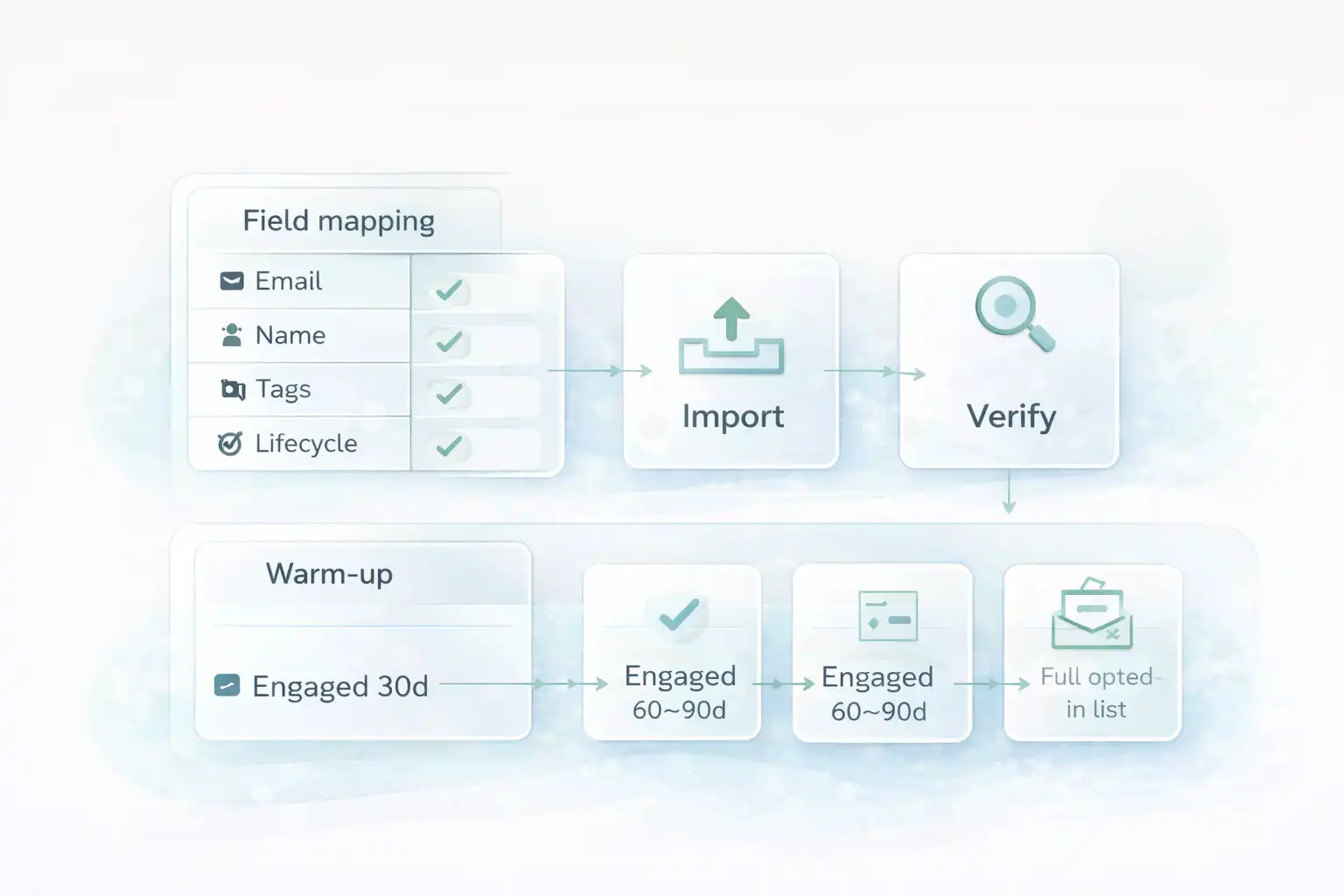
- Day 1–2: send to “engaged last 30 days”
- Day 3–5: expand to “engaged last 60–90 days”
- Then: full list (only opted-in)
If it fails (fast fixes)
- Reduce volume (send to smaller engaged segment)
- Remove cold contacts from the first sends
- Simplify content (one CTA, fewer images)
Migrate Mailchimp to Omnisend Flow diagram (migration + warm-up)
Use this visual to keep the order right: data first, then sending, then optimization.
Done checklist (you’re finished when…)
- Subscribed contacts are imported and show correct tags/properties.
- Unsubscribed/bounced contacts are not being mailed (suppressed).
- Mailchimp lifecycle automations are OFF (no duplicate sends).
- Your v1 flows are built (welcome, abandoned cart, post-purchase, winback).
- You tested a real inbox and verified all links/CTAs.
- Warm-up is planned (engaged first → expand gradually).
- You’ll optimize after 7 days (one variable at a time).
Switch with confidence
You now have a migration path that avoids duplicates, preserves targeting, and protects deliverability. Open Omnisend, import clean data, publish v1 flows, then optimize with real results.
No credit card required • Cancel anytime • Clean data first, send second