
Email Automation Tools
The best email automation tools don’t just “send emails” — they build predictable revenue by triggering the right message at the right moment. This guide helps you choose an automation platform that fits ecommerce reality and implement it without the usual setup mistakes.
No credit card required • Cancel anytime • Built for Shopify & WooCommerce • Fewer manual campaigns, more always-on revenue
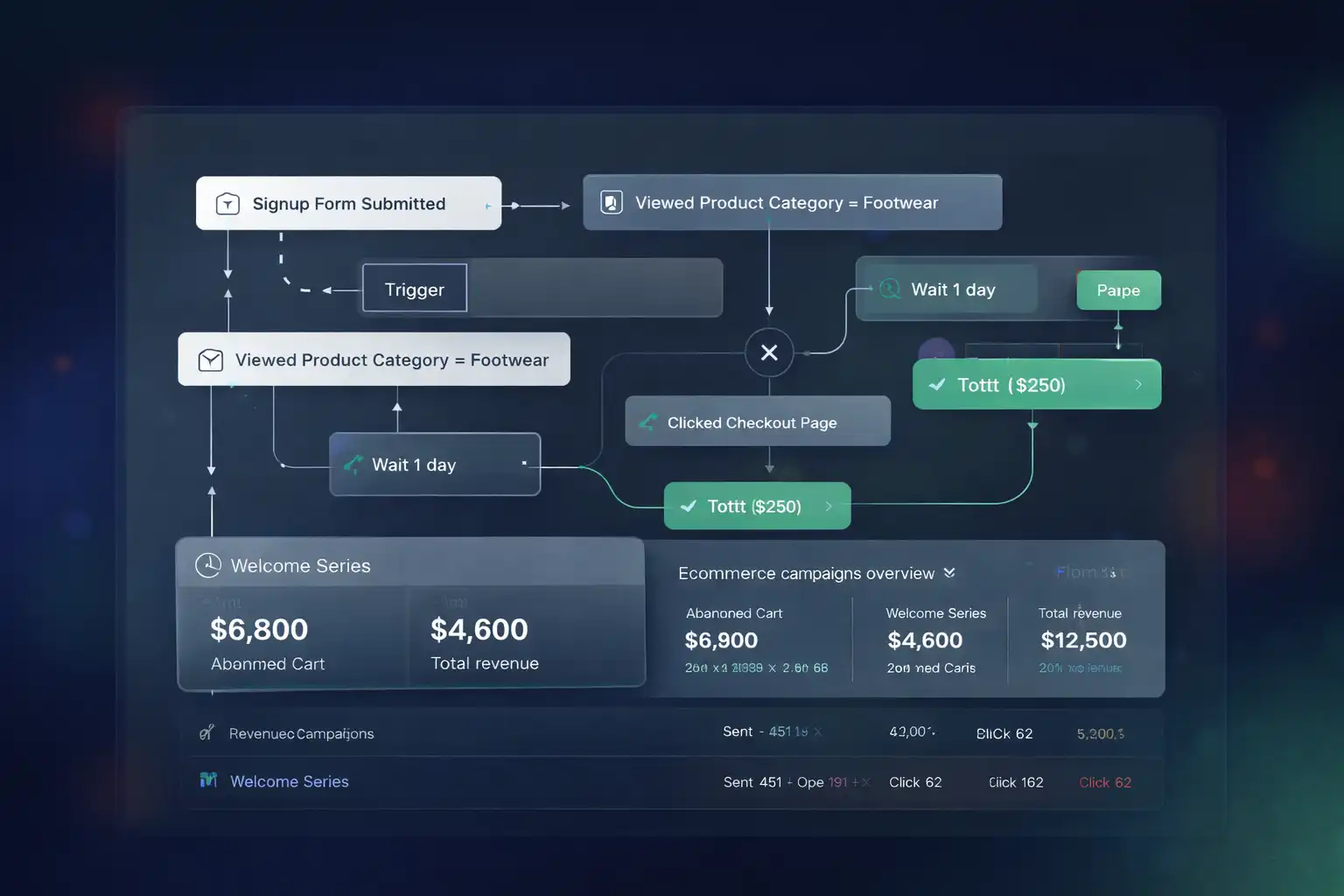
What this page covers (and what it doesn’t)
This Email Automation Tools LP focuses on practical selection and implementation — the parts that actually change revenue. We won’t drown you in feature lists. Instead, you’ll get a framework for choosing the right stack, plus the steps to launch core flows fast and iterate safely.
If you want the broader landscape first, start with CEM homepage, then continue to email automation software.
Deliverability baseline tip: connect your sending domain to Google Postmaster Tools.
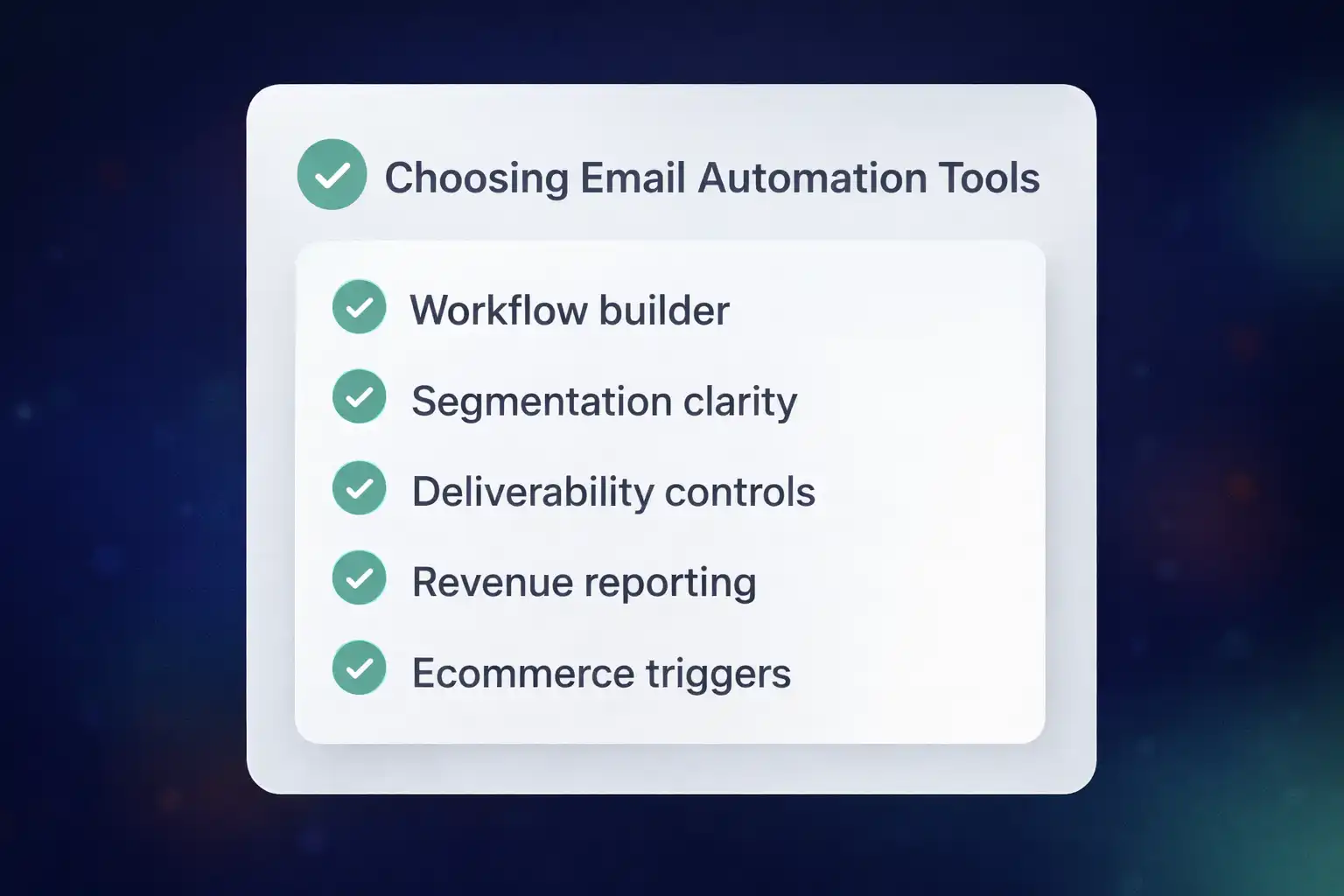
The 5-part checklist for choosing email automation tools
Use this checklist to pick email automation tools without regret. It’s built around what you’ll actually use weekly: events, segmentation, deliverability, and action-focused reporting.
1) Workflow builder: speed + control
Look for a visual builder that supports branching logic, delays, conditions, and reusable blocks. You should be able to map customer behavior into lifecycle flows (welcome, cart recovery, post-purchase, win-back) in minutes.
2) Ecommerce events: the real “data fuel”
Your platform should understand product views, cart updates, checkout starts, purchases, and customer value. Without high-quality events, personalization and attribution stay fuzzy.
3) Segmentation clarity (so you keep using it)
Segments should be readable and reusable: VIP, high AOV, category interest, repeat buyers, first-time buyers. The best systems make “advanced” strategy feel simple because the rules are easy to audit.
4) Deliverability controls (not just a dashboard)
You want suppression tools, list hygiene, and clear consent workflows. This protects long-term inbox placement and prevents automation from becoming spammy.
5) Reporting that tells you what to do next
Prioritize flow-level revenue attribution, per-message performance, and cohort trends. Great reporting makes optimization obvious — and reduces guesswork.
What “automation” really means in ecommerce
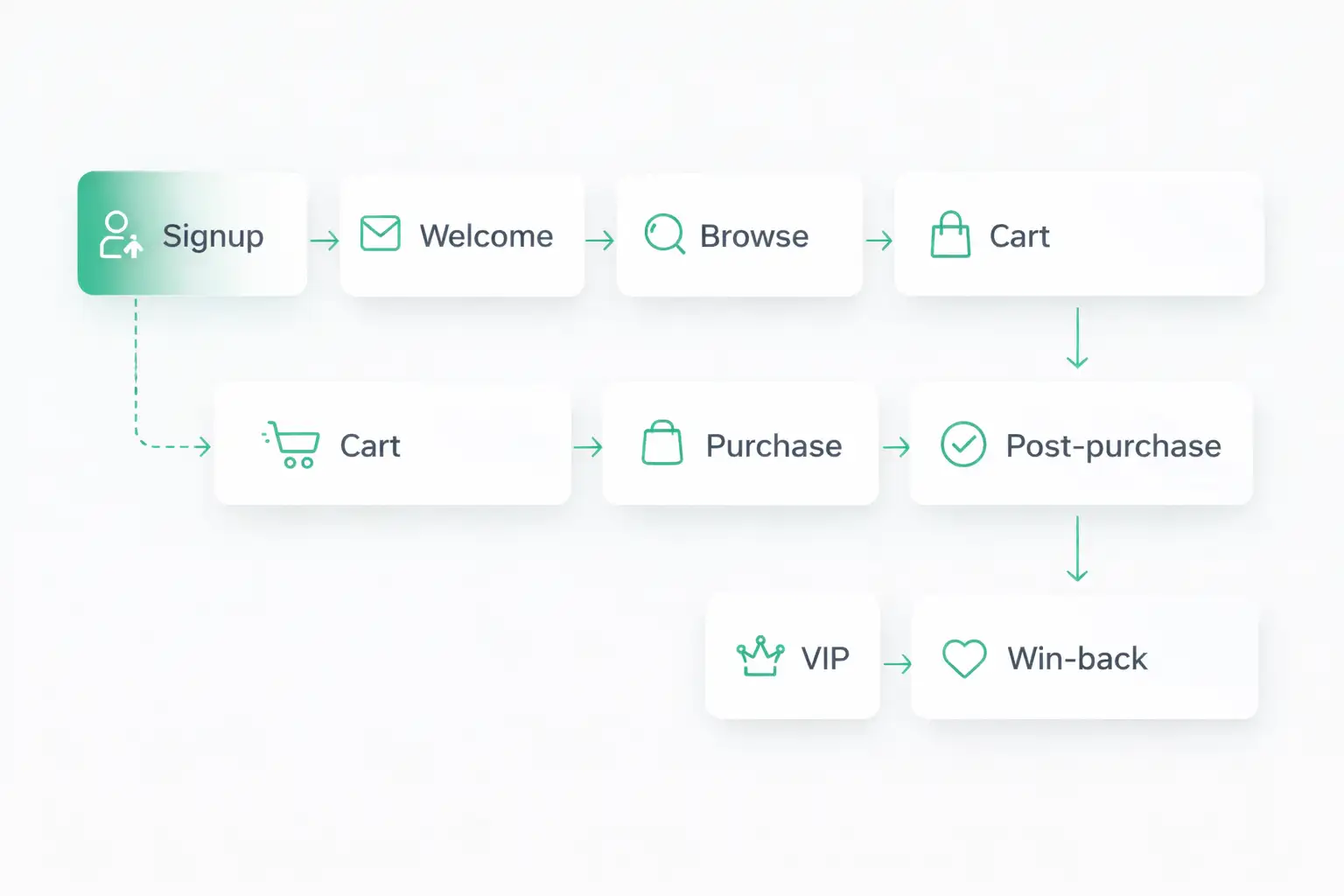
In ecommerce, automation isn’t about sending more messages. It’s about capturing intent moments consistently: signup, browse, cart, purchase, and inactivity. When those moments trigger the right sequence, revenue becomes more predictable. To make those steps faster and more beautiful we use Email automation tools.
The core flows (start here)
- Welcome: turn new signups into a first order with a structured onboarding.
- Abandoned cart: recover high-intent sessions without more ad spend.
- Post-purchase: reduce refunds, increase repeat orders, and build trust.
- Win-back: bring customers back before they forget you.
- VIP: reward loyal buyers so retention compounds.
Supporting tools (use only what you need)
Most stores don’t need a massive stack. One platform + clean consent + reliable data + a basic deliverability routine is enough to outperform complex setups that nobody maintains.
If you plan to add SMS, estimate costs early. SMS pricing explained.
Quick comparison: automation platform vs basic email sending
Newsletters still matter, but they’re not the always-on revenue layer. This table explains why lifecycle automation typically wins.
| Capability | Basic sender | Automation platform |
|---|---|---|
| Triggers | Mostly manual | Event-based (browse/cart/purchase/inactivity) |
| Flow logic | Linear drip | Branching + conditions + dynamic content |
| Attribution | Engagement metrics | Revenue per flow + cohort trends |
| Outcome | Distribution layer | Always-on revenue layer |
Implementation: the foundation that makes tools work
Stores don’t fail because they picked the “wrong features.” They fail because setup is incomplete: migration is messy, tracking is incorrect, and signup consent is unclear. Fix the foundation and almost any modern platform performs better.
Implement Key Tools in Omnisend
Use these focused guides to migrate faster, keep lifecycle automation clean, and ensure GDPR-safe list growth.
Migrate from Mailchimp → Omnisend
Move subscribers, segments, and key flows without losing momentum.
Open guideMigrate from Klaviyo → Omnisend
Port automation logic and keep segmentation readable.
Open guideDouble Opt-In + GDPR Setup
Improve list quality and reduce compliance risk from day one.
Open guideDisclosure: Some links may be affiliate links. If you use them, we may earn a commission at no extra cost to you.
Mini tool: estimate your “automation ROI surface area”
A quick way to validate your choice: estimate how many automated touchpoints you can realistically activate this month. More touchpoints + clean segmentation usually means faster learning and better revenue stability.
Trends shaping modern automation stacks
- Deliverability-first UX: more visibility into list hygiene, suppression, and sender reputation.
- Omnichannel orchestration: email + SMS coordination (frequency control, intent-based messaging).
- AI-assisted personalization: faster testing and dynamic content without chaos.
- Cleaner event pipelines: better attribution with fewer data gaps.
- Higher consent standards: stronger opt-in workflows that protect long-term list value.
FAQ
How many platforms do I need?
Usually one platform is enough. The best results come from mastering one system, launching core flows, and iterating weekly.
What’s the best first automation to launch?
A welcome series is the fastest foundation win. It improves conversion from new subscribers and builds long-term list value.
Do email automation tools replace newsletters?
No — newsletters still work. But the always-on revenue layer should be handled by lifecycle flows.
Written & reviewed by Choose Email Marketing. We build ecommerce-focused automation frameworks and test platforms for real implementation speed, reporting clarity, and measurable revenue impact.
Ready to pick the right platform?
Shortlist options — then implement migration, tracking, and consent so your automations start producing results fast.
- Shortlist: compare options on email automation software.
- Ecommerce path: follow flow examples on ecommerce email automation.
- Implementation: use the Omnisend guides above to avoid the most common setup mistakes.
No credit card required • Cancel anytime • Disclosure: affiliate links may earn us a commission at no extra cost to you.