
Omnisend Abandoned Cart WooCommerce
Omnisend Abandoned Cart WooCommerce — build a 3-touch recovery sequence with proven timing, dynamic cart content, and a “done” checklist you can trust. Keep this page open while you work in Omnisend and your WordPress dashboard.
If you’re building the full system, see WooCommerce email automation.
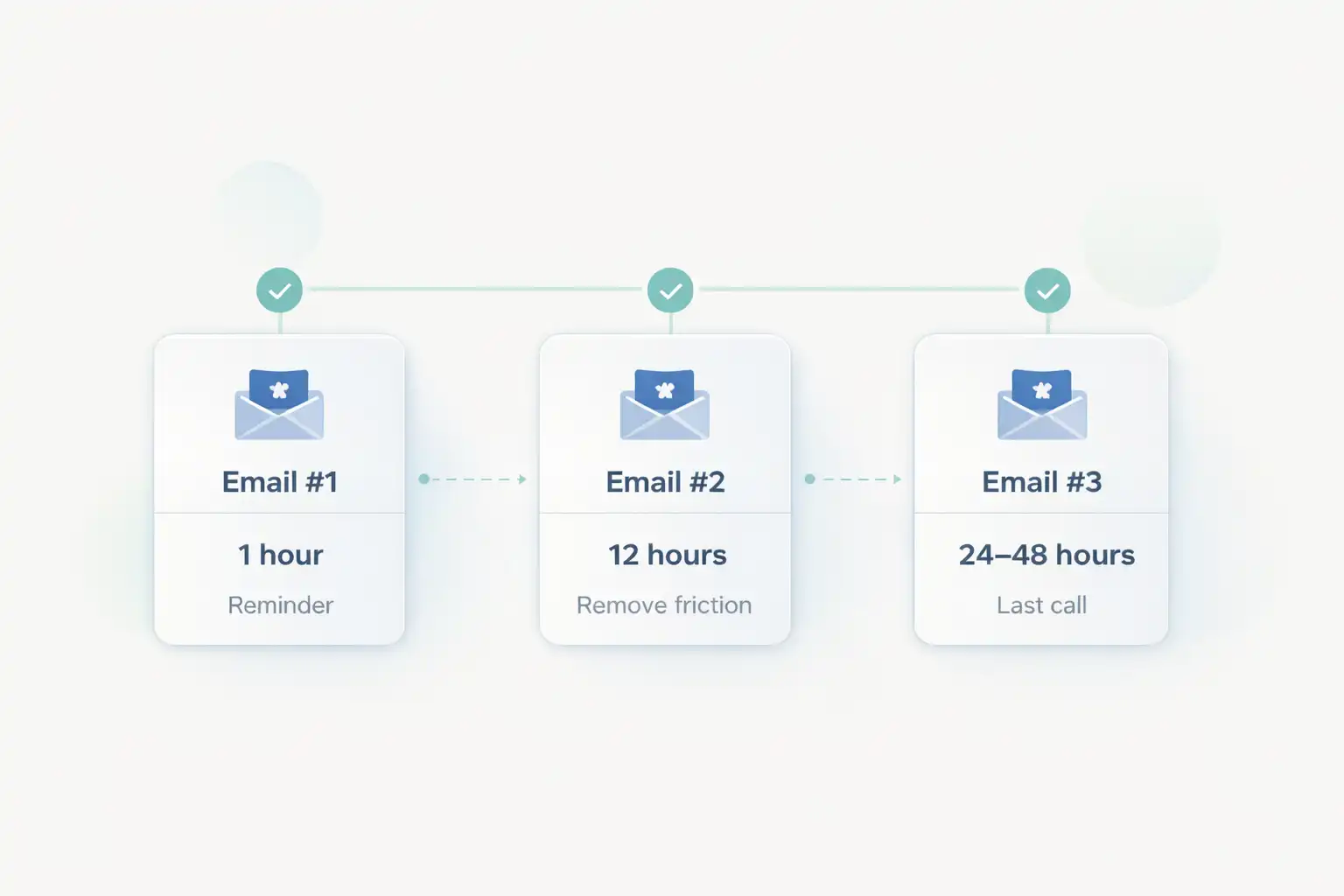
Omnisend Abandoned Cart WooCommerce template + timing (copy this)
This “v1” sequence is designed for quick implementation and clean measurement. Don’t overbuild — publish first.
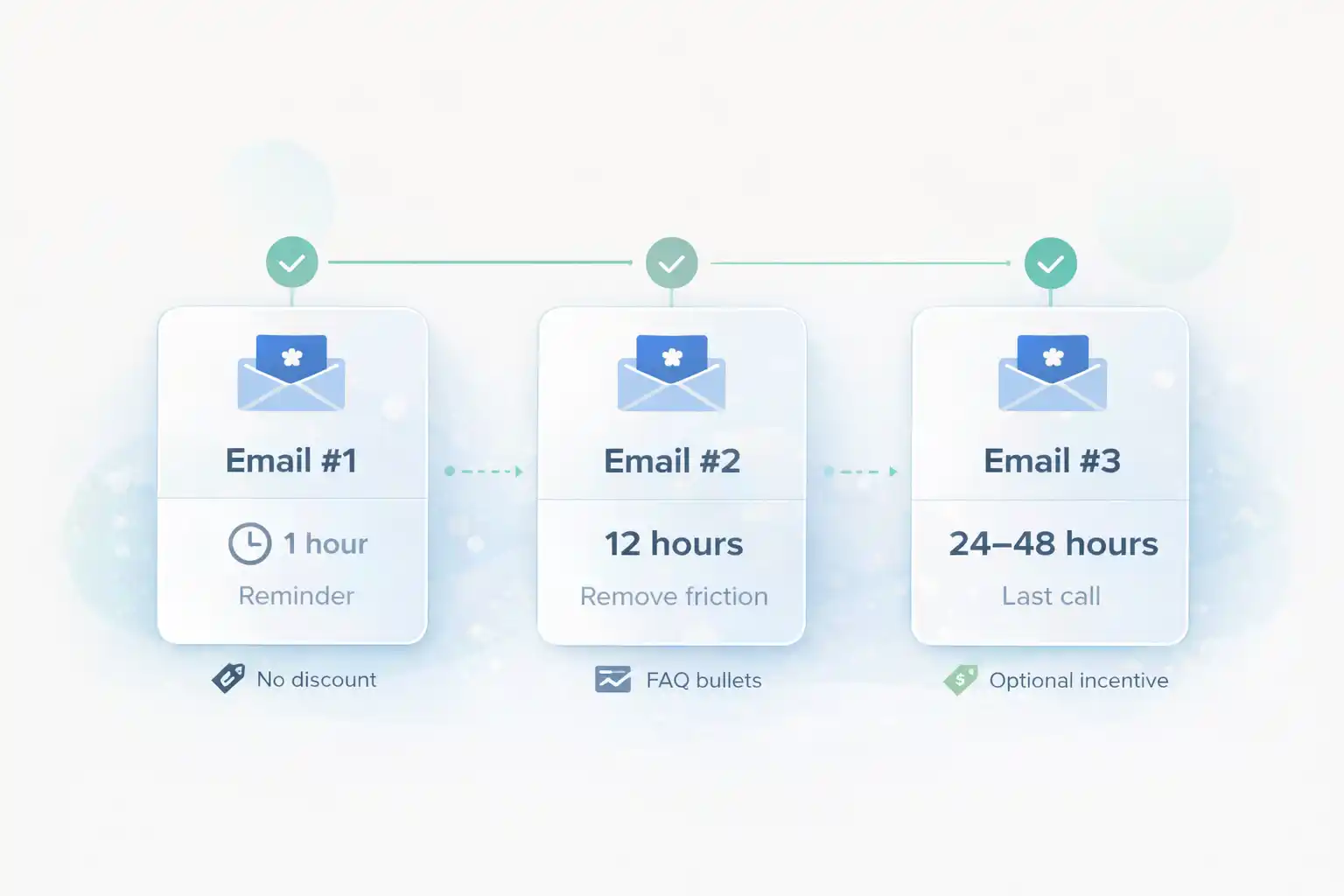
- Email #1: 1 hour after abandon (gentle reminder).
- Email #2: 12 hours after abandon (remove friction: shipping/returns/support).
- Email #3: 24–48 hours after abandon (last call + optional incentive).
- Optional SMS: only if you have consent and clear value — use as last touch.
Before you start
Get these 5 items ready now so you don’t lose momentum mid-build:
- WordPress admin access + WooCommerce settings access.
- Omnisend admin access (Automations + templates).
- Your sender identity ready (From name + reply-to + brand footer).
- A real test inbox (Gmail or similar).
- Decision: do you already use a cart recovery plugin? If yes, disable it (avoid duplicates).
Ready? Open Omnisend and keep this page as your checklist.
Open OmnisendCommon mistakes (that waste hours)
- Two recovery systems (plugin + Omnisend) → duplicates, unsubscribes.
- Event tracking not verified → “flow is on” but nothing sends.
- Discount too early → you train people to abandon for a code.
- No cart content → generic emails that don’t convert.
- Testing only inside WP → you miss real inbox formatting issues.
Step-by-step: build Omnisend Abandoned Cart WooCommerce workflow
Step 1/8 — Disable other cart recovery emails (avoid duplicates)
Goal: one systemWooCommerce stores often run recovery via plugins. If you keep them active, customers get double reminders and you lose trust.
Do this (WordPress)
- Check active plugins for cart recovery / abandoned cart emails.
- Pause/disable those workflows before enabling Omnisend.
- Make a note so you don’t “re-enable later by accident”.
FOLLOW reference (official)
WooCommerce docs (useful context when reviewing store setup & extensions): WooCommerce Documentation
Keep your recovery system simple: one source of truth.
Step 2/8 — Connect WooCommerce to Omnisend
Goal: data + syncInstall the Omnisend integration/plugin for WooCommerce and confirm the store is connected inside Omnisend.
Do this
- In WordPress: install/activate the Omnisend plugin (if not already).
- In Omnisend: confirm your WooCommerce store shows as connected.
- Check that products/customers sync is running (initial sync can take time).
If it fails (fast fixes)
- Update WordPress + WooCommerce + plugin to current versions.
- Disable caching/minification temporarily while connecting.
- Confirm your site can make outbound requests (hosting/firewall).
Step 3/8 — Verify cart/checkout events are firing
Goal: reliable triggerDon’t build emails until you confirm the trigger works. If events don’t arrive, the flow won’t send — period.
Do this (10 minutes)
- Open your store in incognito.
- Add a product to cart and proceed toward checkout (don’t purchase).
- In Omnisend: find the activity/events area and locate your test customer.
If it fails
- Temporarily disable cart drawer/checkout plugins and retest.
- Check cookie/consent tooling that may block tracking.
- Disable aggressive caching on cart/checkout pages.
Step 4/8 — Build Email #1 (1 hour): gentle reminder
Goal: quick winsThis is your highest-converting Omnisend Abandoned Cart WooCommerce email. Keep it short and visual with cart content and one CTA.
Subject lines (copy)
Forgot something? Your cart is saved
Quick reminder: complete your checkout in 1 click
Still thinking it over? Your items are waiting
Minimum content
- Headline: “Your cart is saved”
- Cart items block (dynamic)
- One CTA: “Return to checkout”
- One trust line: shipping / returns / support
Working inside Omnisend now? Keep this page open as your checklist and build step-by-step.
Start Omnisend FreeStep 5/8 — Build Email #2 (12 hours): remove friction
Goal: answer doubtsMost customers abandon because of uncertainty. This email converts by clarifying shipping, returns, and support for Omnisend Abandoned Cart WooCommerce.
Structure
- Line: “Any questions before you check out?”
- 3 bullets: shipping, returns, support
- Cart items block (again)
- CTA: “Complete checkout”
Success check
- Readable on mobile
- CTA visible quickly
- Links don’t 404
Step 6/8 — Build Email #3 (24–48 hours): last call
Goal: close loopKeep it respectful and clear. If you use an incentive, use it only here to avoid training “abandon for discount”.
When to add a discount
- Competitive niches (price shopping is common)
- Healthy margins
- Skip for premium positioning
Copy blocks (copy)
Last call — your cart won’t stay saved forever
Still want it? Here’s the fastest way to finish checkout
Step 7/8 — Test end-to-end Omnisend Abandoned Cart WooCommerce (real inbox)
Goal: prove it worksTesting is how you avoid “it’s ON but nothing sends”. Do one clean test customer journey and confirm every link.
Do this
- Incognito window + real email address
- Add 1–2 products → abandon
- Temporarily shorten delay if needed
- Confirm: cart block renders + CTA returns with items preserved
If it fails
- Re-check events (Step 3)
- Confirm workflow is ON (not draft)
- Check segment/exclusion rules
- Confirm no other recovery system is active (Step 1)
Step 8/8 — Publish + monitor (first 7 days)
Goal: ship v1Publish today. After 7 days, you’ll have real data to optimize without guessing.
Publish checklist
- Workflow is turned ON
- Delays match the template
- Each email has one strong CTA
- Dynamic cart content renders correctly
Monitor (7 days)
- Email #1 open + click rate
- Revenue per email
- Unsubscribes (timing too aggressive or duplicates)
Flow diagram (timing + intent)
Visual reference for your delays so the sequence stays consistent.
Done checklist (you’re finished when…)
- You’re running one recovery system (no duplicates).
- WooCommerce cart/checkout events are verified inside Omnisend.
- Email #1 includes dynamic cart content + one CTA.
- Email #2 removes friction (shipping/returns/support).
- Email #3 is a clean last call (optional incentive only here).
- Buttons return to correct cart/checkout (items preserved).
- Workflow is ON (not draft) and your real inbox test succeeded.
- You review results after 7 days (one variable at a time).
Publish your WooCommerce recovery flow today
You now have a clean v1 sequence with proven timing and a testing checklist. Open Omnisend, publish, and optimize after 7 days of real data.
No credit card required • Cancel anytime • Keep WooCommerce in another tab