
Omnisend Welcome Series Template
Omnisend Welcome Series Template — copy/paste a proven 4-email sequence that turns new subscribers into first-time buyers. You’ll set timing, content blocks, and a simple testing checklist in under 45 minutes.
Want the full system? See ecommerce email automation.
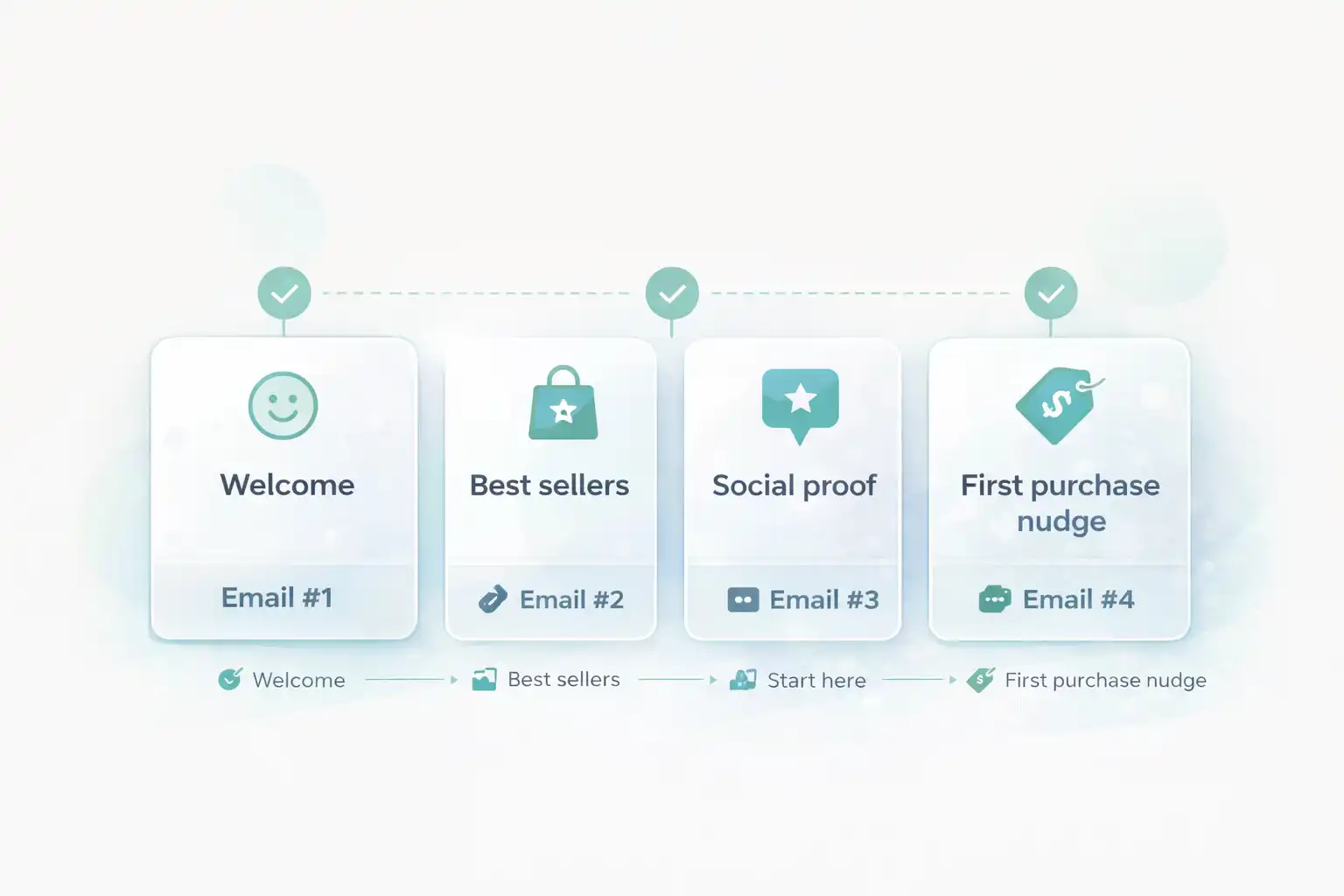
Omnisend Welcome Series Template (timing + goal)
This sequence is designed for ecommerce, where the first purchase is the main win. Keep it simple and publish v1 today.
- Email #1 (immediately): deliver the promise + set expectations.
- Email #2 (Day 1): best sellers + “start here” collections.
- Email #3 (Day 3): social proof + answers to objections.
- Email #4 (Day 5): first purchase nudge (optional incentive).
Before you start Omnisend Welcome Series Template
Have these ready so your build is friction-free:
- Your signup form is live (pop-up, embedded, or checkout opt-in).
- Sender identity is configured (From name + reply-to).
- Basic brand assets (logo, product images, 2–3 best sellers).
- A support link (contact page or help center).
- A real test inbox (Gmail recommended).
Ready? Open Omnisend and create a new automation.
Open OmnisendCommon mistakes (that waste hours)
- Too many emails → publish v1 with 4 messages first.
- Incentive in Email #1 → you train “subscribe for discount”.
- No single CTA → clicks scatter, conversions drop.
- Long paragraphs → mobile readers bounce.
- No deliverability basics → emails land in promotions/spam.
Copy/paste email blocks (subjects + skeletons) for Omnisend Welcome Series Template
Use the blocks below as your starting point. Replace the bracketed text with your brand tone and products.
Welcome + set expectations
Goal: confirm they’re in the right place, tell them what they’ll get next, and drive a first click.
Welcome — here’s what to expect
You’re in 🎉 Start here
Headline: Welcome to [Brand] — we’re glad you’re here.
Bullets:
• What we sell (1 line)
• Why people love us (1 line)
• What you'll receive next (1 line)
CTA: Shop best sellers
Footer: Support link + preferences/unsubscribe
Best sellers + “start here”
Goal: reduce choice overload. Give 3–6 products and one clear path.
Not sure where to start? These are our favorites
Our best sellers (picked by customers)
Headline: Start here — our best sellers
Content:
• 3–6 product blocks (image + 1 line benefit)
• Optional: “Why it works” 2 bullets
CTA: View best sellers
Social proof + objections
Goal: build trust. Reviews, guarantees, and 3 fast answers remove hesitation.
Why customers stick with [Brand]
Real results, real reviews (quick read)
Headline: Trusted by customers like you
Blocks:
• 3 review snippets (short)
• 3 bullets: Shipping / Returns / Support
CTA: Shop with confidence
Last nudge (optional incentive)
Goal: close the loop. If you use an incentive, use it here — not earlier.
Last chance to grab your first order
Ready when you are — here’s your next step
Headline: Your next step
Content:
• 1 paragraph: who this is for + benefit
• Optional: incentive note (expiring)
CTA: Shop now
P.S.: Link to best sellers / start-here collection
Copy pasted? Create the automation now and publish v1 — optimization comes later.
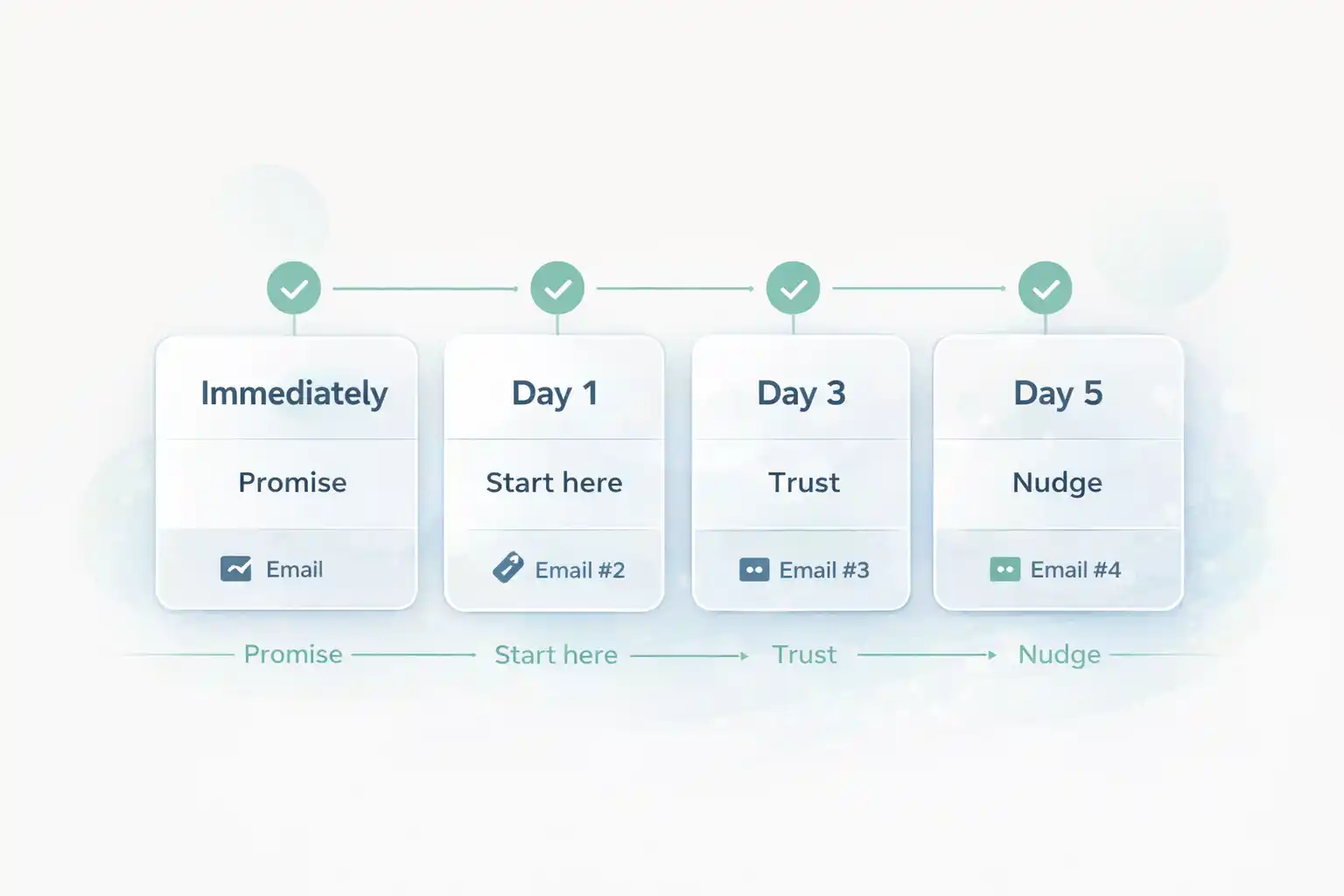
Start Omnisend FreeTimeline diagram (timing + intent)
Keep the flow consistent: immediately → day 1 → day 3 → day 5.
Deliverability quick check (so the series lands in inbox)
Even the best welcome series fails if it lands in spam. Use official guidance to validate your basics.
- Use a consistent From name + domain.
- Authenticate your sending domain (SPF/DKIM/DMARC).
- Keep image-to-text balanced and avoid spammy phrasing.
Done checklist (you’re finished when…)
- Your signup form adds subscribers to the correct audience/list.
- Email #1 sends immediately and contains one clear CTA.
- Email #2 highlights best sellers (3–6 products) with one CTA.
- Email #3 includes proof + 3 friction bullets (shipping/returns/support).
- Email #4 provides a clean last nudge (optional incentive only here).
- You tested in a real inbox and mobile formatting looks clean.
- The workflow is ON (not draft).
- You’ll review performance after 7 days (one variable at a time).
Build your welcome series today
You now have a copy/paste sequence that’s clean, measurable, and easy to improve. Open Omnisend, publish v1, and optimize after 7 days of real data.
No credit card required • Cancel anytime • Publish first, optimize later