
Shopify Email Automation: Omnisend Flows That Beat Basic Setups
If your Shopify emails still depend on “send a newsletter and hope,” you’re leaving conversions on the table. This page shows a practical Shopify email automation framework: which flows to launch first, what data matters on Shopify, and how Omnisend turns customer behavior into repeatable revenue.
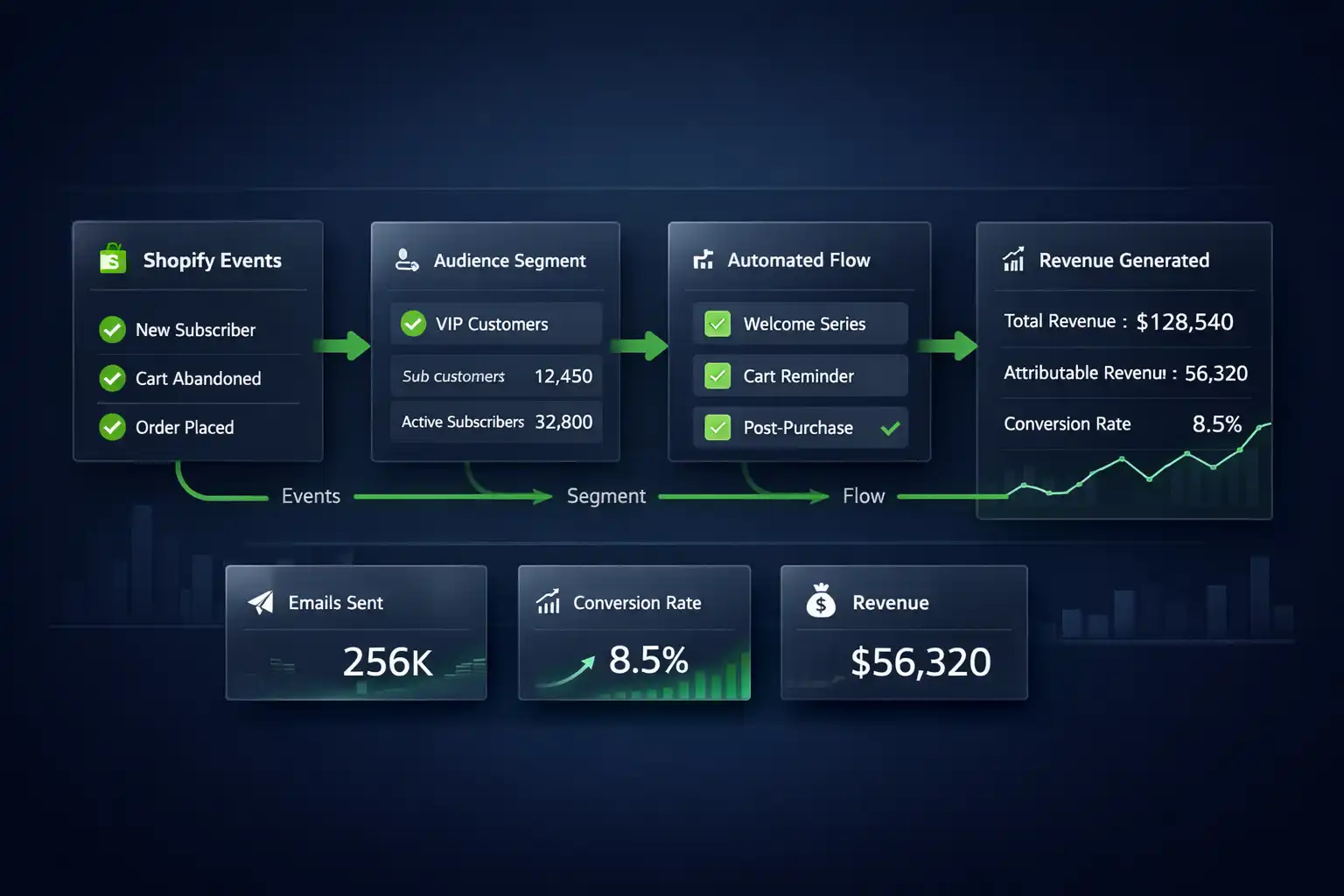
What Shopify email automation really means (and why basic setups lose)
Shopify email automation is not “more emails.” It’s the difference between reacting manually and running a lifecycle engine: Shopify events (browse, cart, purchase, repeat) automatically trigger the right message to the right segment at the right time.
When stores stay on basic setups, three things usually happen: flows fire too late, segments stay generic, and reporting can’t answer the only question that matters: which automation creates profit, not just opens.
Bigger picture: ecommerce email automation + SMS marketing automation.
Reality check (so this actually works)
Shopify gives you the data. Automation wins only if you use it with discipline: event tracking, consent, deliverability basics, and weekly iteration.
- Ship 3 flows first (not 9).
- Baseline → iterate weekly (timing + segment rules).
- Track revenue per recipient, not vanity metrics.
- SMS only with consent + throttling.
What matters on Shopify for high-performing automations
1) Event quality beats list size
- Browse + product intent signals (not only “subscribed”).
- Cart and checkout events with clean timing.
- Customer tags / VIP logic you can rely on.
2) Consent + deliverability are the gatekeepers
Clean forms, opt-in rules, and smart suppression beat “send to all.” For Shopify checkout behavior basics, Shopify docs are a solid reference: Abandoned checkout.
3) Omnichannel timing
Email tells the story. SMS adds urgency. The best stacks sequence them — they don’t replace one with the other.
9 Omnisend flows for Shopify that beat “basic setups”
These are the flows that most consistently lift revenue in Shopify email automation. You don’t need all nine today — you need the right first three, launched cleanly, then iterated.
1) Welcome (intent + offer logic)
Convert first purchase: expectations, preference, reason to buy now.
2) Abandoned cart (recovery ladder)
Helpful → friction fixes → urgency. Add SMS only after baseline works.
3) Browse abandonment
Catch high-intent sessions early. Strict rules keep it non-creepy.
4) Post-purchase (reduce refunds)
Education + setup tips + cross-sell based on bought product.
5) Replenishment / reorder
If product repeats, automate the next buy before they think.
6) Win-back
Reactivate with preference + “what’s new” + simple re-entry offer.
7) VIP / loyalty
Separate your best customers and stop treating them like everyone else.
8) Price-drop / back-in-stock
Helpful notifications that convert without heavy copy.
9) Review / UGC capture
Collect proof that increases conversion across the whole site.
Want the fastest “lift” this week?
Implement abandoned cart first — it’s the quickest path from “basic setup” to measurable revenue.
Interactive: pick your first 3 flows (in 30 seconds)
This quick scorer recommends what to launch first in your Shopify email automation stack. It’s prioritization based on store stage, traffic, and repeat potential.
Your recommended first 3 flows
Choose options on the left to see your launch order.
How to use this scorer (so it actually helps)
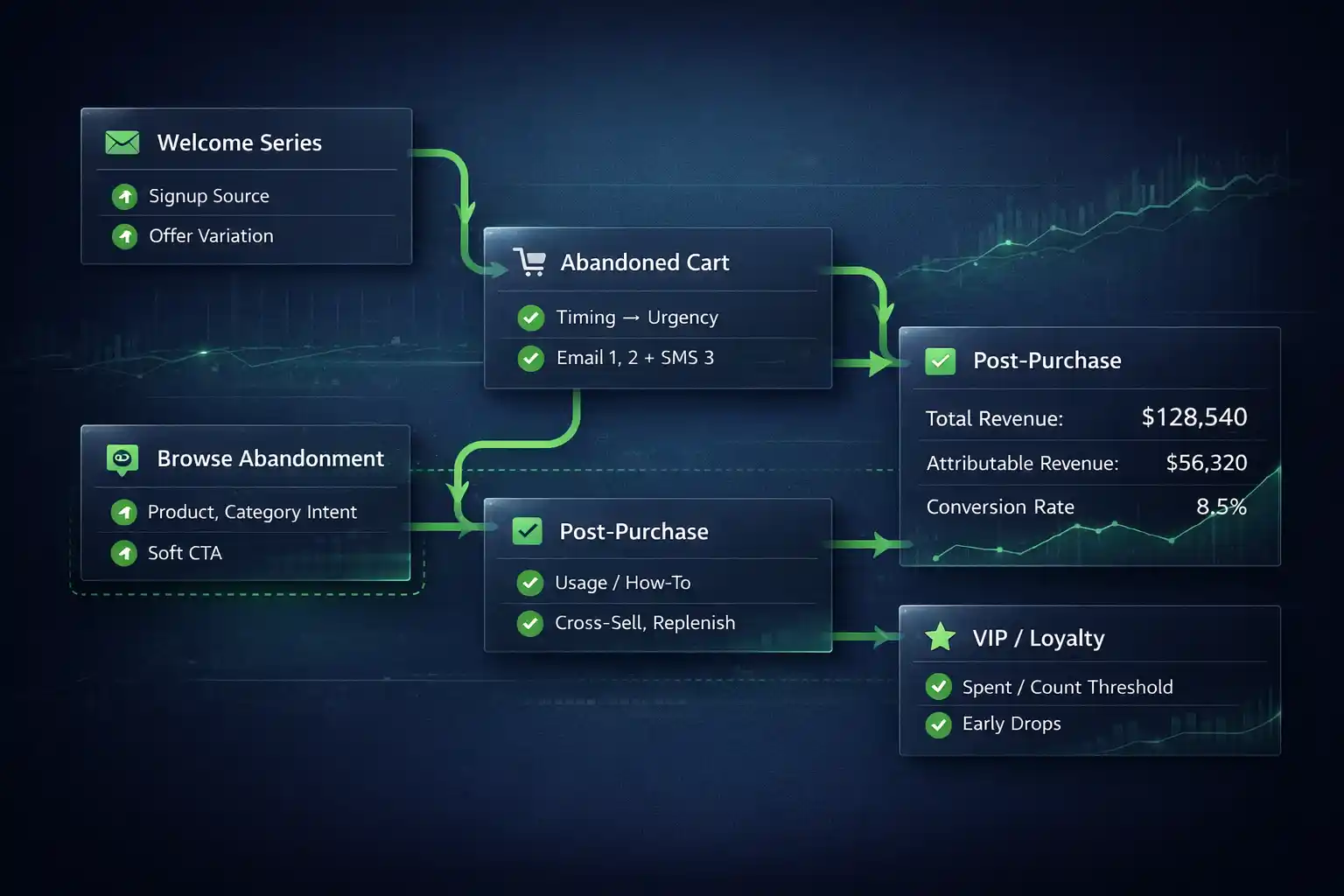
Think in “systems”: one trigger + one segment + one metric.
Automation vs “basic sending” on Shopify (why it changes outcomes)
The core advantage of Shopify email automation is sending based on behavior — not sending more.
| Area | Basic setup | Omnisend automation setup | What you measure |
|---|---|---|---|
| Trigger | Manual newsletters | Event-based flows (browse, cart, purchase) | Revenue per recipient |
| Segmentation | One list | New vs returning, VIP, intent segments | Conversion by segment |
| Timing | Whenever you remember | Optimized delays per flow | Lift by delay test |
| Content | Generic promo | Dynamic products + context | RPR + unsubscribe rate |
| Scaling | More work | Same team, more output | Automation share of revenue |
Implement Shopify automations in Omnisend
If you want a clean path from “reading” to “launching,” these pages are the fastest route to ship your first Shopify email automation flows in Omnisend.
Shopify setup checklist
Connect store, events, lists, consent basics
Abandoned cart automation
Recovery ladder + timing + SMS add-on
SMS automation setup
Consent, throttling, smart sequencing
FAQ
What is the best first flow for Shopify email automation?
For most stores it’s abandoned cart or welcome. If traffic is high, browse abandonment becomes a strong early win.
How many flows should I launch first in Omnisend?
Start with 3: welcome, abandoned cart, post-purchase (or browse abandonment if sessions are high). Then add one per week.
Can I combine email and SMS in Shopify automations?
Yes. Email-first for context, SMS later for urgency — always consent-driven and throttled.
Why do my automations underperform on Shopify?
Common causes: generic segments, weak timing, too many discounts, or deliverability issues from poor consent hygiene.
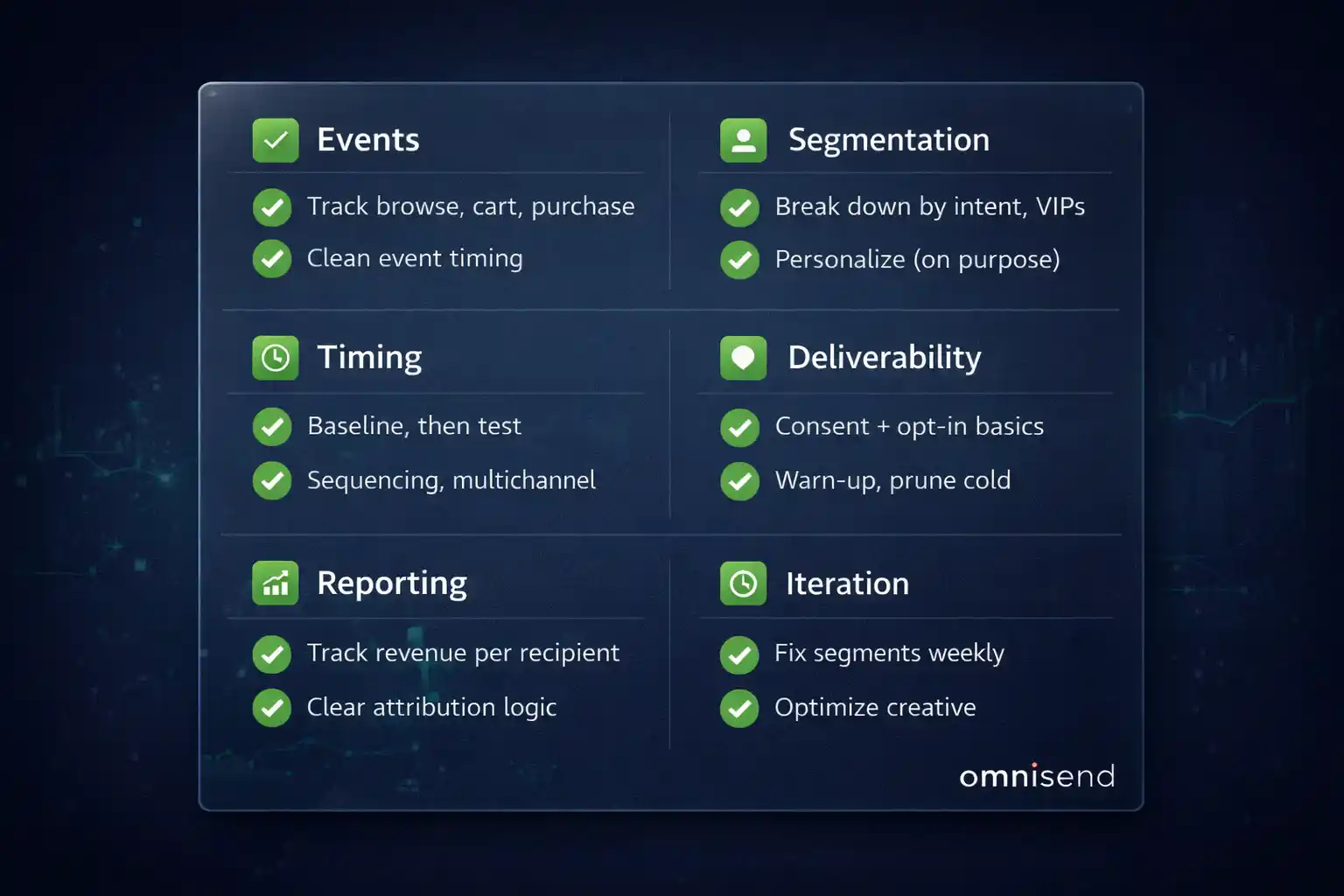
Quick checklist (scan-fast)
Ready to upgrade your Shopify email automation?
Launch your first 3 flows cleanly, measure revenue per recipient, and iterate weekly. That’s how Omnisend flows beat basic setups.